Creating a plan (individual or group)
Section outline
-
Click New plan and fill in:
- Students — one student, or several for a group plan (e.g. a Tier 2 small group).
- Domain and tier — academic / behavioral / attendance, tier 1–3. The domain filters the strategy picker to that part of the library.
- Strategy — from the library.
- Responsible educator — who owns the intervention.
- Aim — the starting value, the goal value, and the target date. For attendance this is a rate (e.g. 0.85 → 0.93); for academics a percentile; for behavior an incident rate aiming at 0.
- Domain link — the form asks for exactly what the domain requires: an academic plan needs its benchmark platform; a behavioral plan needs the linked incident; attendance plans need neither.
The form will not let you submit an invalid plan — required fields follow the domain you pick.
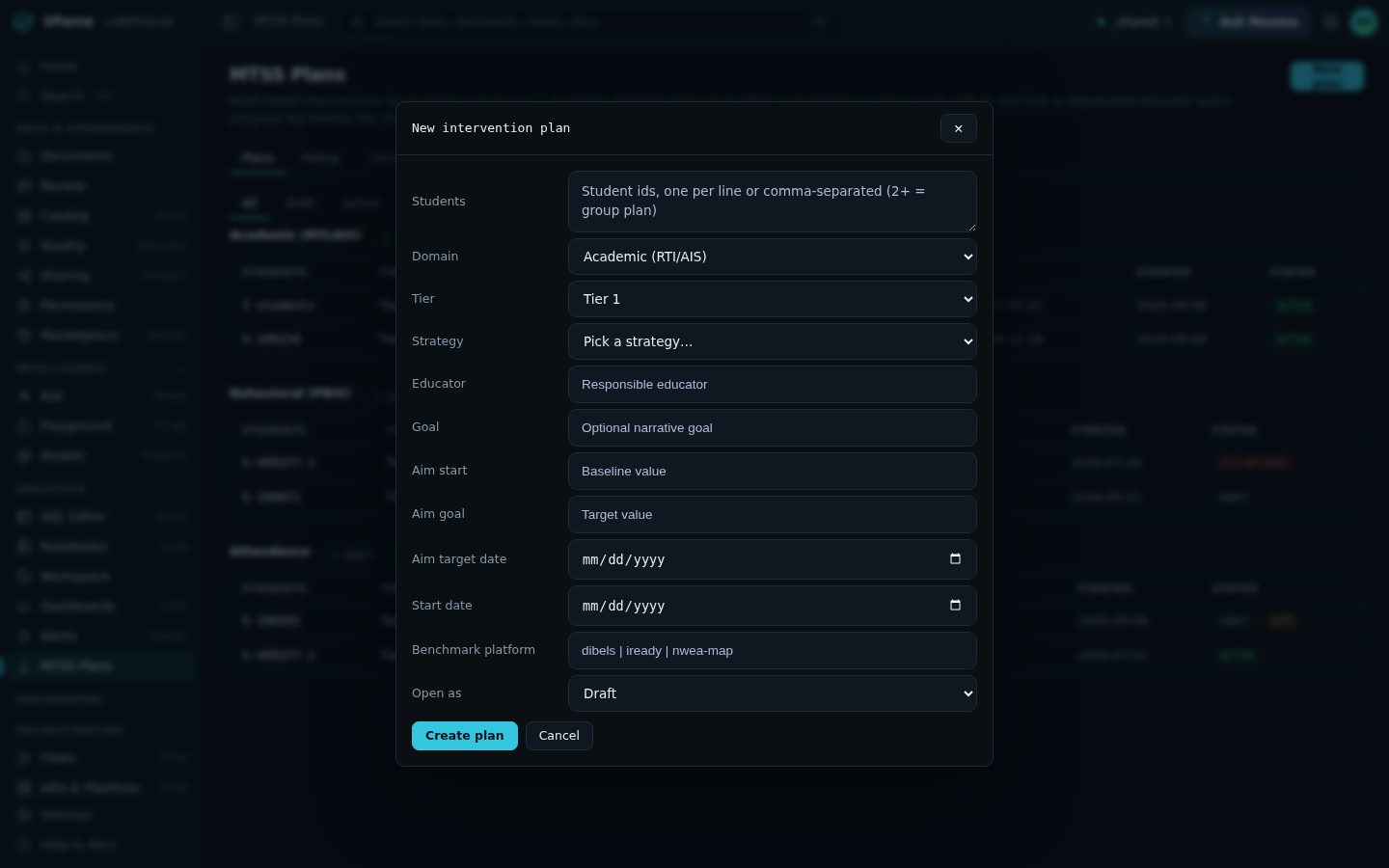
The New intervention plan dialog — required fields follow the domain — click the image to view full size.